There is no limit to the number of administrators you can set for your site.
To assign full admin access to your entire site:
- Log into the site with an admin account.
- Click on "Administer Site" in the menu.
- In the left menu, click "Users & Groups".
- Select "Users" or "Member List" in the navigation bar.
- Next click the "Create User" button.
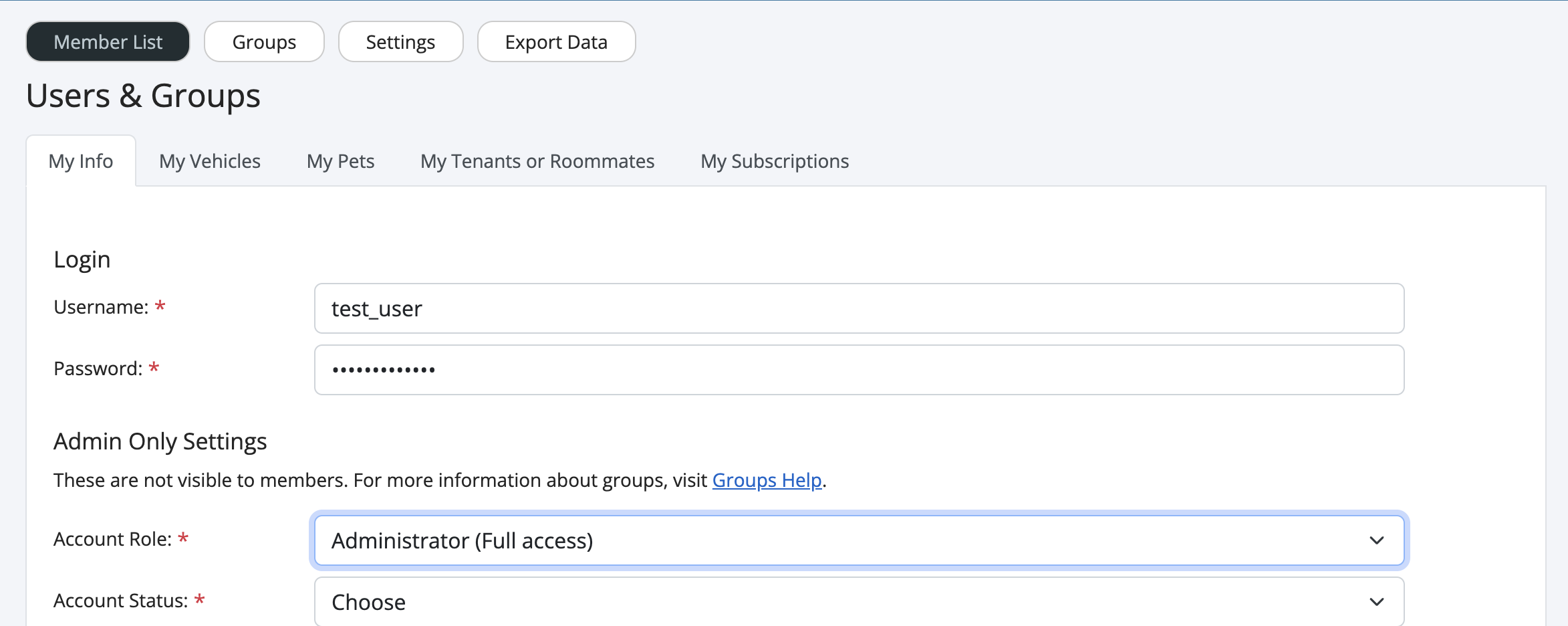
- You should now see a page similar to the below.
- For the "Account Role" option, select "Administrator" and fill out remaining required fields.
Learn more about the differences between user roles.
Article ID: 31, Created: 3/7/2014 at 1:41 PM, Modified: 5/18/2023 at 4:52 PM